Paranet + Jira Integration Project
This project demonstrates how paranet can interact with an ERP system — in this case, Jira — to automate task management workflows using actors and paraflows.
Running the Kit
To learn how to deploy and observe the kit locally, see the README guide. .
That guide walks you through:
-
Deploying the node and package with para docker
-
Monitoring logs from the erp, jira, and workflow containers
-
Watching task transitions directly in Jira
Testing
Once you have configured the API tokens and webhook, you can test the integration by following these steps:
There are two main testing flows:
1. Basic Workflow
- Go to your Jira board and create a new task.
- Observe the automated interaction between the Workflow, ERP, and Jira actors.
2. Order Queue Workflow
- Before deploying the actors, create multiple Jira tasks with the status "Order Queue".
- Then, deploy the actors and create one additional task to initiate the workflow.
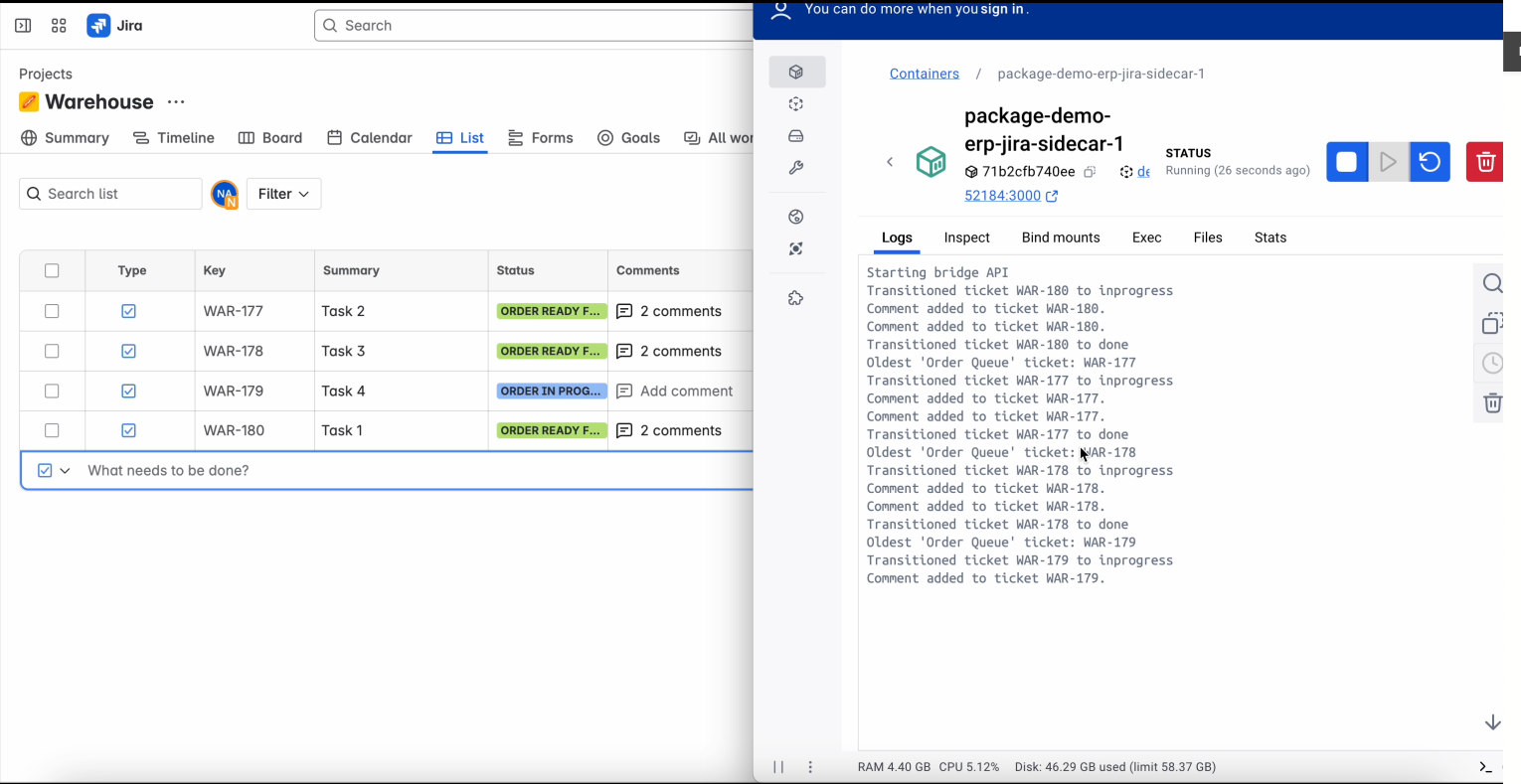
- The system will automatically handle the new task and, once it's marked as complete, it will fetch the oldest task in the "Order Queue" and continue the workflow from there.
This allows testing of sequential task execution based on creation time and demonstrates how Paranet handles task queues in an ERP-style system.
Observing the Flow
Once your Paranet node and package are deployed, you can observe how the flow behaves using either of the following options:
Option 1: Observe via Docker Logs (Recommended)
To understand how tasks move through the flow and how actors respond, you can monitor the logs of the erp, jira, and workflow containers.
There are several ways to access these logs:
- Using Docker Desktop, by selecting each container and viewing its logs.
- Using the Docker extension for VS Code, which provides a convenient UI to inspect logs for each service.
- Using your terminal, with your preferred method or script to follow container logs.
This is the best way to get detailed, real-time feedback on the internal behavior of your flow.
Option 2: Observe via JIRA
If your flow includes the JIRA actor, you can observe its effects directly in your connected JIRA project:
- Tasks created, updated, or transitioned by the flow will appear in your JIRA board.
- This is useful for validating that the flow is correctly interacting with external services like JIRA.
Make sure your credentials and project settings in the flow configuration are correct to see the expected results in JIRA.